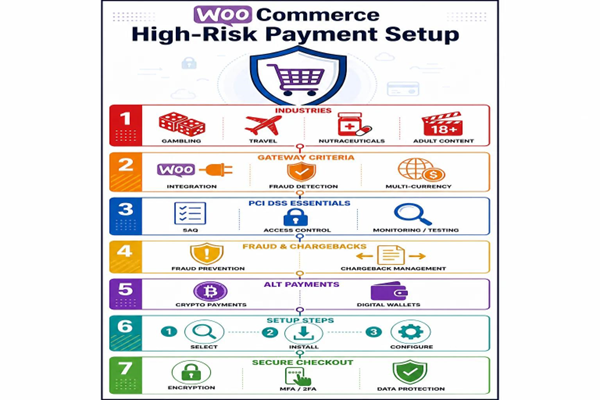
Complete guide to setting up secure, compliant payment processing for high‑risk WooCommerce stores.

Payment processing for high‑risk eCommerce businesses requires careful planning. Merchants in higher‑risk categories often face limited gateway choices, stricter compliance obligations, and elevated fraud and chargeback exposure. This guide breaks down how to recognize a high‑risk account, choose the right gateway for WooCommerce, meet PCI DSS requirements, put fraud prevention in place, and evaluate alternative payment options so you can protect revenue and customer experience.
We cover practical steps to reduce chargebacks and fraud, criteria for selecting payment gateways, PCI compliance essentials, and ways to expand payment options safely. Use these recommendations to configure a secure, reliable payment flow for your WooCommerce store.
A high‑risk merchant account is one tied to business types or behaviors that raise the chance of chargebacks or fraud. Processors classify risk based on business category, geography, sales patterns, and transaction history. That classification affects gateway availability, pricing, and security requirements — so understanding your risk profile is essential before selecting payment infrastructure for WooCommerce.
These sectors commonly fall into the high‑risk category:
Data consistently shows higher dispute and fraud rates in these verticals compared with standard retail operations.
Risk classification shapes which processors will work with you and at what cost. High‑risk merchants may face fewer low‑cost options, higher fees, and additional documentation requests. Many businesses find better outcomes with specialized high‑risk gateways that understand industry nuances. Identifying suitable providers early helps avoid downtime and ensures a smoother customer checkout experience.
Payment method adoption and perceived transaction risk — research summary
Analysis of B2C websites across five Central Asian economies shows perceived transaction risk affects which payment methods merchants offer. Sellers in industries with higher transaction values tend to favor prepayment methods (like debit), which lower seller risk. The study also finds that merchants with riskier delivery choices often adopt higher‑risk payment instruments, and that local offline adoption of a payment method encourages its online use. (LV Hove, 2016)
Selecting the right gateway is critical. Focus on integration with WooCommerce, fee structure, multi‑currency support, and built‑in fraud controls when comparing providers.
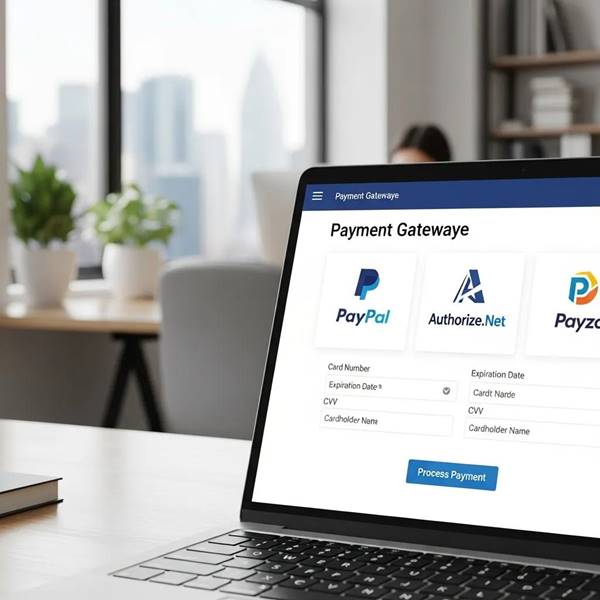
Gateways that commonly support high‑risk merchants and WooCommerce include:
Evaluate each provider for ease of WooCommerce integration, pricing transparency, and available security features before committing.
Essential features to prioritize:
These capabilities help stabilize operations and protect margins in high‑risk environments.
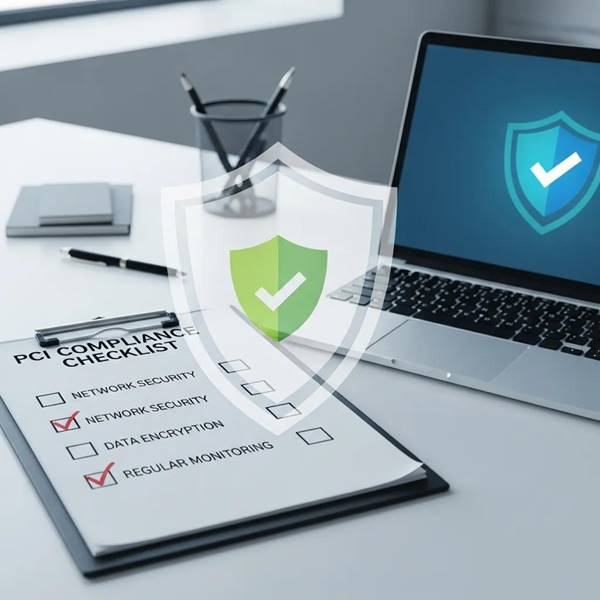
PCI DSS compliance is mandatory for any store handling card data. For high‑risk merchants, following PCI standards reduces exposure to breaches and penalties and strengthens customer trust.
Adhering to PCI DSS is a foundational step for securing payment data and demonstrating sound security practices to processors and customers alike.
PCI DSS: The baseline for payment card security
The Payment Card Industry Data Security Standard (PCI DSS) is an international set of requirements for any organization that accepts payment cards. It provides a comprehensive, technical framework to protect cardholder data. While national laws cover broader privacy concerns, PCI DSS remains the primary, detailed standard for card security and is essential for any merchant processing payments. (Complying with the PCI DSS Standard, 2024)
Key steps to maintain PCI compliance:
Following these practices helps you stay compliant and reduces the risk of costly breaches or fines.
Useful WooCommerce security and compliance tools include:
Combine plugins with secure hosting and regular backups for a layered defense strategy.
A proactive fraud and chargeback strategy minimizes losses and preserves your merchant account. Use technology plus clear internal processes to detect issues early and respond effectively.
Top fraud prevention tools include:
Layering these solutions reduces false positives while cutting actual fraud incidents.
Practical chargeback controls:
These measures protect revenue and improve your standing with processors.
Alternative payments can reduce costs and chargeback exposure while broadening customer reach. Consider options that make sense for your audience and compliance constraints.
Crypto gateways offer several advantages:
Cryptocurrency can be a strategic complement to card payments for certain customer segments.
E‑wallets and digital payment platforms provide:
Offering a mix of payment options helps meet customer preferences while managing operational risk.
Follow a structured approach to integrate high‑risk gateways safely and reliably.
Integration checklist:
A correct setup ensures smooth transactions and builds customer confidence.
Secure checkout fundamentals:
These practices reduce exposure and help maintain a trusted storefront.
Non‑compliance can lead to heavy fines, higher processing costs, and potential suspension of card acceptance. It also raises the likelihood of data breaches, which damage reputation and customer trust. Processors may impose restrictions or terminate services for repeat violations.
To lower fees, compare specialized processors, negotiate rates based on volume, and consider long‑term contracts where appropriate. Introducing alternative payment methods like e‑wallets or crypto can also reduce reliance on expensive card processing.
Include layered protections: real‑time monitoring, advanced fraud tools (including ML), AVS, secure checkout practices, and staff training. Clear dispute procedures and timely customer communication also reduce false claims and improve resolution rates.
Chargeback insurance is a policy that reimburses eligible losses from chargebacks in exchange for a premium. It can stabilize cash flow for businesses with higher dispute rates, but policies vary in coverage, exclusions, and claim processes — examine terms carefully before buying.
Alternative payments can lower processing costs, reduce chargeback exposure, and improve checkout conversion for certain customers. They also expand access to buyers in regions where card acceptance is limited or expensive.
Improve service by streamlining checkout, clearly labeling payment options and refund policies, and offering responsive support channels. Proactive updates on order status and transparent security practices reassure customers and reduce disputes.
Securing payment processing for high‑risk WooCommerce merchants is a mix of correct gateway selection, rigorous compliance, and layered fraud defenses. By applying best practices — from PCI compliance and vigilant monitoring to offering alternative payment methods — you can protect revenue, maintain processor relationships, and deliver a reliable checkout experience. Consult the resources above and adapt the recommendations to your specific risk profile to build a resilient payment setup.